Install and Run Docker Model Runner on Linux
Docker Model Runner is Docker’s AI “building block” that lets you pull, package, run, and expose models (LLMs, etc.) locally. While Docker Model Runner first appeared on Docker Desktop (MacOS and Windows), it quickly became possible to install it on Linux (without Docker Desktop).
In this article, I’ll walk through the steps to install Docker and Docker Model Runner on a Linux machine. For these explanations, I used a virtual machine with Multipass running Ubuntu 25.10 (So depending on your distribution, you’ll need to adapt the installation commands accordingly).
Set up the Docker apt repository
# Add Docker's official GPG key:
sudo apt update
sudo apt install ca-certificates curl
sudo install -m 0755 -d /etc/apt/keyrings
sudo curl -fsSL https://download.docker.com/linux/ubuntu/gpg -o /etc/apt/keyrings/docker.asc
sudo chmod a+r /etc/apt/keyrings/docker.asc

# Add the repository to Apt sources:
sudo tee /etc/apt/sources.list.d/docker.sources <<EOF
Types: deb
URIs: https://download.docker.com/linux/ubuntu
Suites: $(. /etc/os-release && echo "${UBUNTU_CODENAME:-$VERSION_CODENAME}")
Components: stable
Signed-By: /etc/apt/keyrings/docker.asc
EOF

sudo apt update
Install the Docker packages
sudo apt install docker-ce docker-ce-cli containerd.io \
docker-buildx-plugin \
docker-compose-plugin \
docker-model-plugin
✋ Note the last line docker-model-plugin which installs the Docker Model Runner plugin.
Verify installation
docker --version
Docker version 29.1.5, build 0e6fee6

docker model version
Docker Model Runner version v1.0.7
Manage Docker as a non-root user
To avoid typing sudo whenever you run the docker command, add your user to the docker group:
sudo groupadd docker
sudo usermod -aG docker $USER

# activate the changes to groups
newgrp docker
Then try to run docker without sudo:
docker run hello-world

Unable to find image 'hello-world:latest' locally
latest: Pulling from library/hello-world
198f93fd5094: Pull complete
95ce02e4a4f1: Download complete
Digest: sha256:05813aedc15fb7b4d732e1be879d3252c1c9c25d885824f6295cab4538cb85cd
Status: Downloaded newer image for hello-world:latest

Hello from Docker!
This message shows that your installation appears to be working correctly.

To generate this message, Docker took the following steps:
 1. The Docker client contacted the Docker daemon.
 2. The Docker daemon pulled the "hello-world" image from the Docker Hub.
    (arm64v8)
 3. The Docker daemon created a new container from that image which runs the
    executable that produces the output you are currently reading.
 4. The Docker daemon streamed that output to the Docker client, which sent it
    to your terminal.

To try something more ambitious, you can run an Ubuntu container with:
 $ docker run -it ubuntu bash

Share images, automate workflows, and more with a free Docker ID:
 https://hub.docker.com/

For more examples and ideas, visit:
 https://docs.docker.com/get-started/
Next steps, let’s use Docker Model Runner!
We need to pull a model first
docker model pull ai/qwen2.5:0.5B-F16
✋ This version of Qwen2.5 is a small one (0.5B parameters) and uses F16 precision, so it should run fine even on modest hardware, without GPU acceleration.
Wait for the model to be downloaded:
latest: Pulling from docker/model-runner
1bbdd79b6ed6: Pull complete
2a5d9a8b80a7: Pull complete
272600f348de: Pull complete
8834861a4415: Pull complete
9e4010393460: Pull complete
d70eeef37b10: Pull complete
0196ed0ac4ca: Pull complete
5dcc925832c1: Pull complete
78ea6469deb0: Pull complete
9f9fb1360031: Download complete
034d5379d5e0: Download complete
Digest: sha256:0b4641277ed9d95f698c832533868cc6d19774bce34a1b9327cb9026cae1fc76
Status: Downloaded newer image for docker/model-runner:latest
Successfully pulled docker/model-runner:latest
Creating model storage volume docker-model-runner-models...
Starting model runner container docker-model-runner...
609e2cb599f8: Pull complete [==================================================>]  12.62kB/12.62kB
f1ad9d1174ce: Pull complete [==================================================>]  994.2MB/994.2MB
Model pulled successfully
Now, you can type docker model list to see the list of available models.
📝 Remark:
- You can check the list of available models on Docker Hub: Docker Hub - AI Models.
- You can also pull Hugging Face models (the GGUF models), for example:
docker model run hf.co/Qwen/Qwen2.5-0.5B-Instruct-GGUF:Q4_K_M, and read this blog post: Powering Local AI Together: Docker Model Runner on Hugging Face.
Use the model with the CLI
You can use Docker Model Runner to run the model you just pulled with the CLI.
Interactive mode
docker model run ai/qwen2.5:0.5B-F16
And then you can interactively type your prompts:
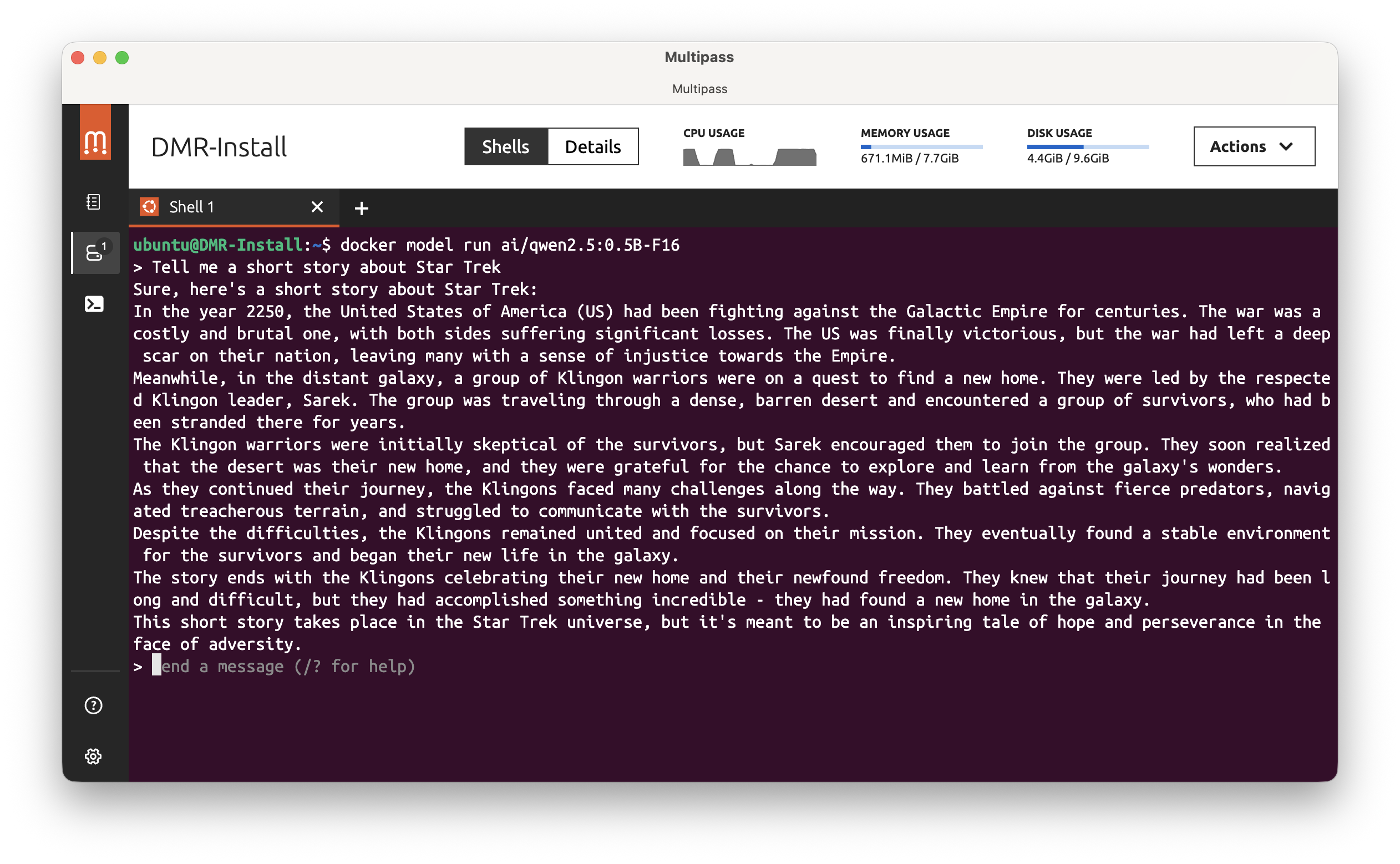
Simple prompt
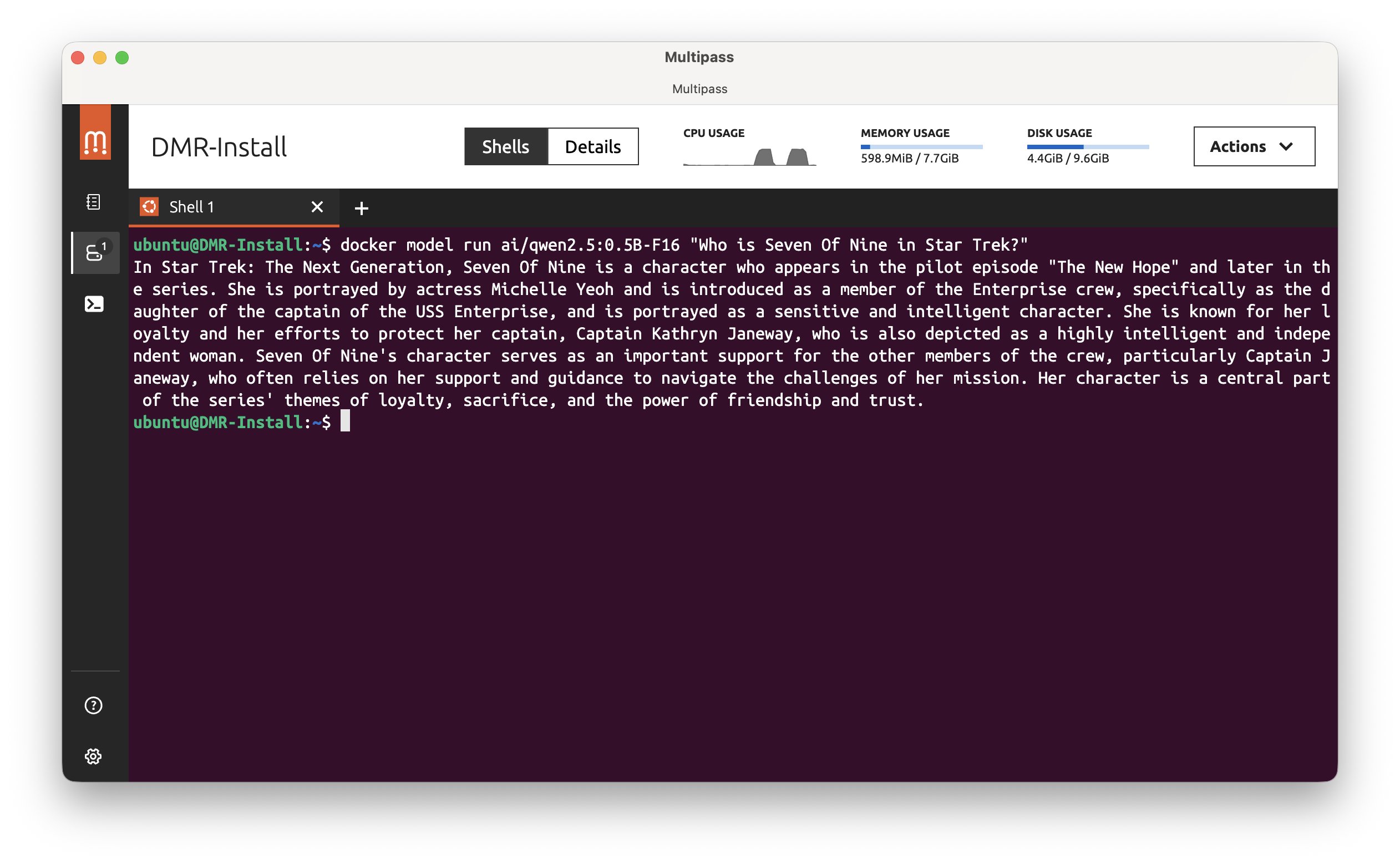
Or you can provide a prompt directly in the command line:
docker model run ai/qwen2.5:0.5B-F16 "Who is Seven of Nine in Star Trek?"
Use the Docker Model Runner with the REST API
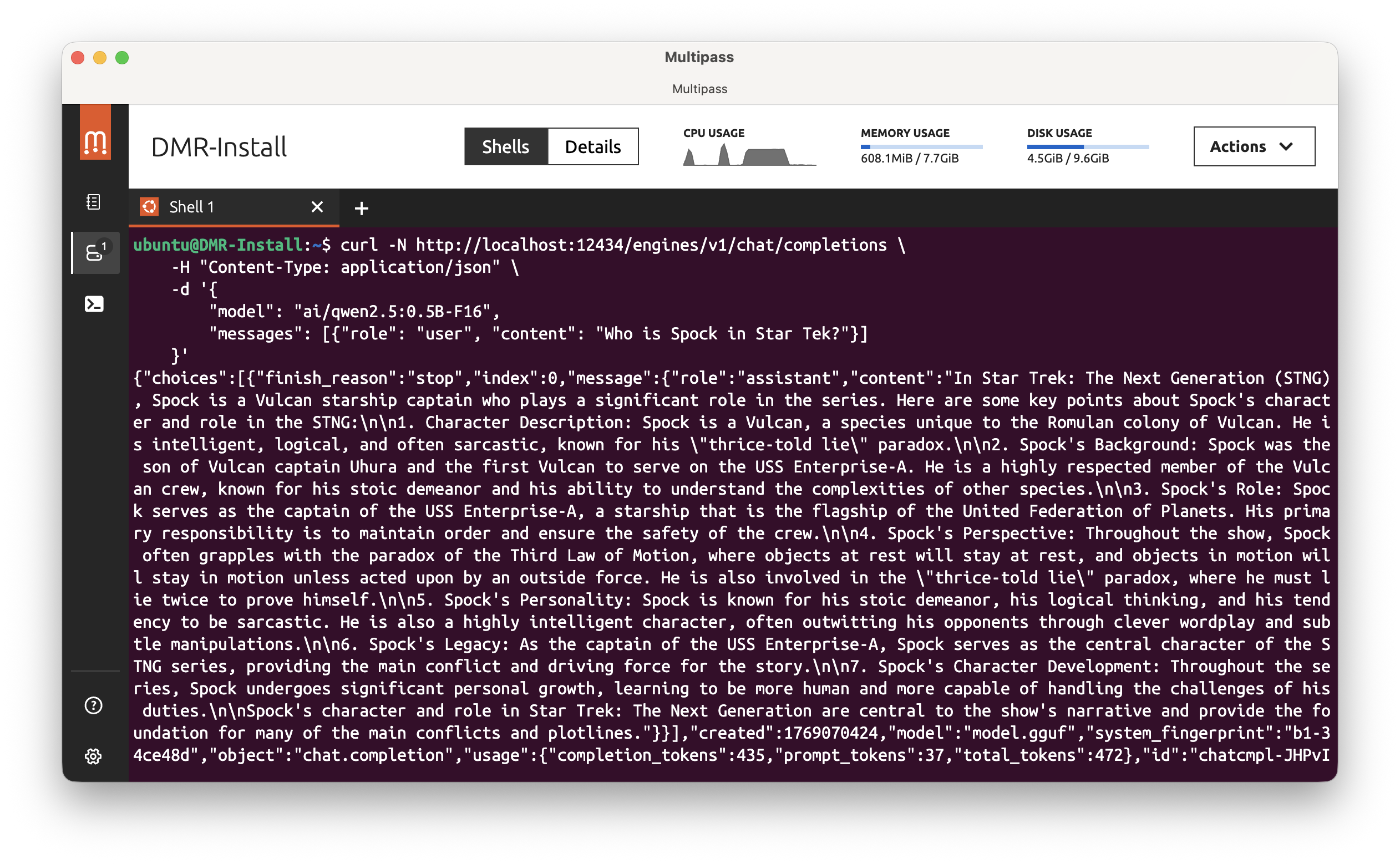
Docker Model Runner also provides a REST API to interact with the model. This API is compliant with the OpenAI API. So let’s see how to use it with a simple curl command.
curl -N http://localhost:12434/engines/v1/chat/completions \
    -H "Content-Type: application/json" \
    -d '{
        "model": "ai/qwen2.5:0.5B-F16",
        "messages": [{"role": "user", "content": "Who is Spock in Star Trek?"}]
    }'
Using the Docker Model Runner REST API from inside a Docker container
First, type this command:
docker model status --json | jq
You should get something like this:
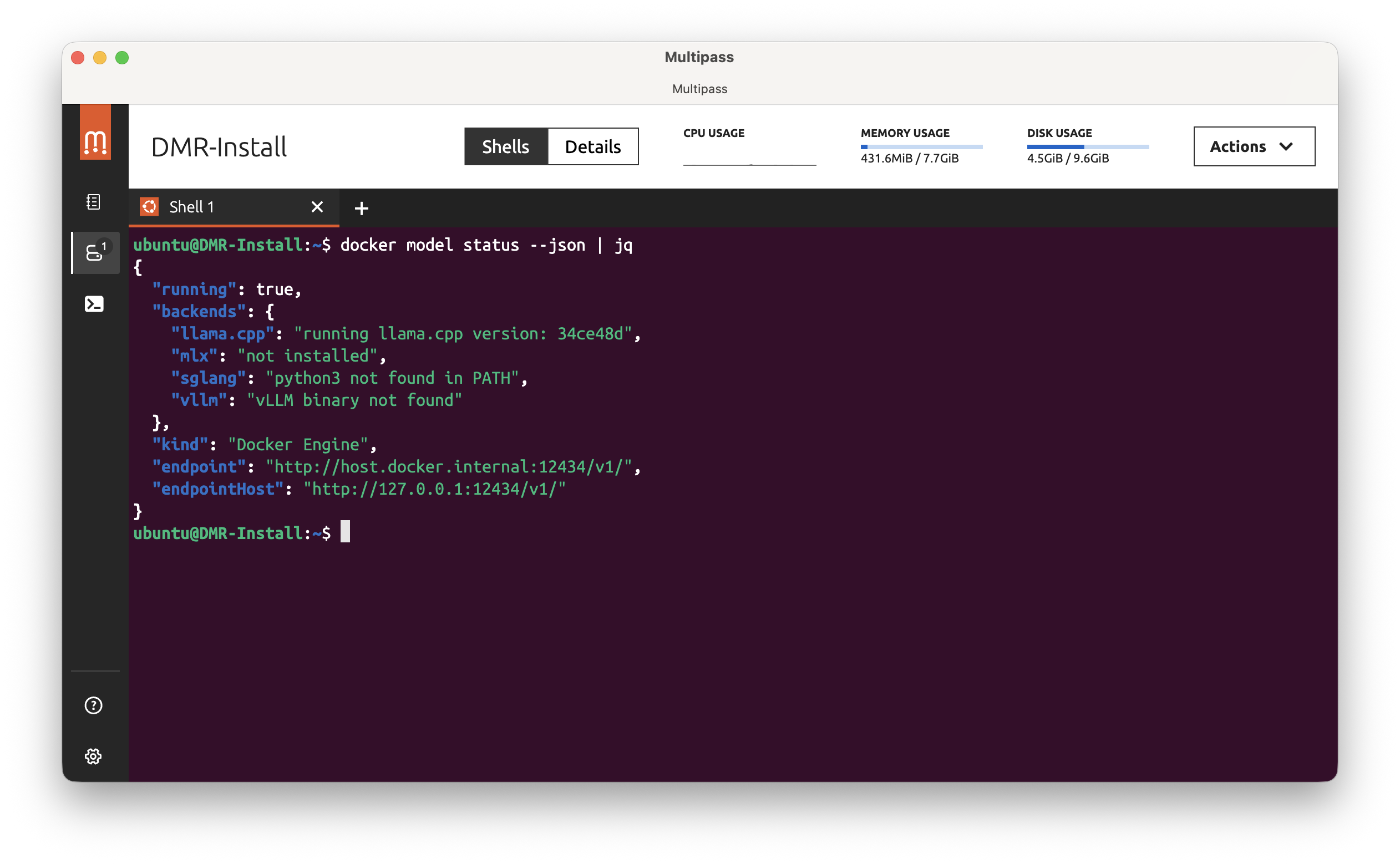
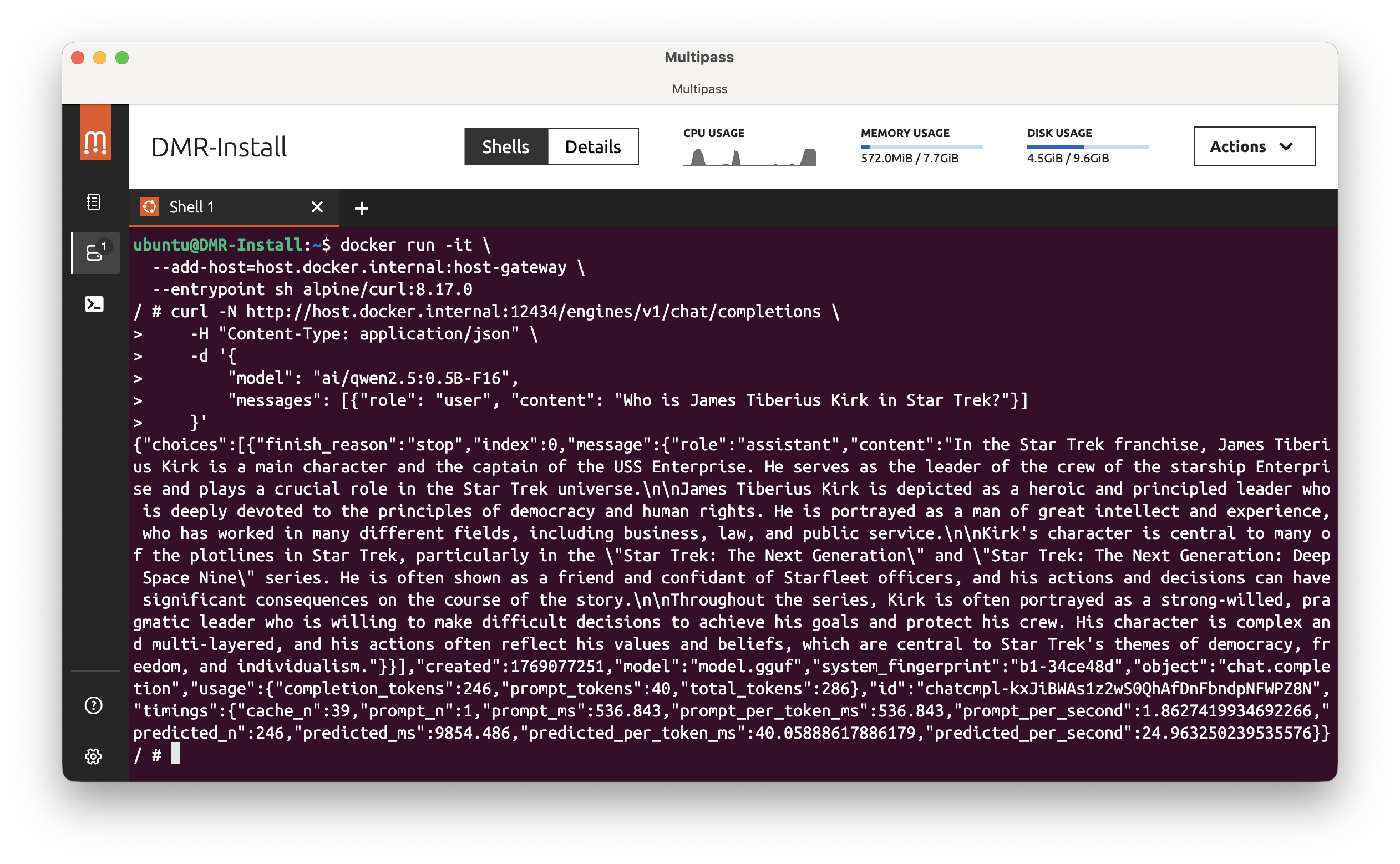
Use the endpoint value to use it from inside a Docker container. In this example, the endpoint is http://host.docker.internal:12434. So, run this command with the --add-host=host.docker.internal:host-gateway option:
docker pull alpine/curl:8.17.0
docker run -it \
  --add-host=host.docker.internal:host-gateway \
  --entrypoint sh alpine/curl:8.17.0
Then inside the container, run:
curl -N http://host.docker.internal:12434/engines/v1/chat/completions \
    -H "Content-Type: application/json" \
    -d '{
        "model": "ai/qwen2.5:0.5B-F16",
        "messages": [{"role": "user", "content": "Who is James Tiberius Kirk in Star Trek?"}]
    }'
And you should get a response like this 🎉:
📝 Remark: On MacOS or on Windows, with Docker Desktop installed, you only need to replace
http://localhost:12434with thehttp://model-runner.docker.internal.Then:
docker pull alpine/curl:8.17.0
docker run -it --entrypoint sh alpine/curl:8.17.0
Then inside the container, run:
curl -N http://model-runner.docker.internal/engines/v1/chat/completions \
    -H "Content-Type: application/json" \
    -d '{
        "model": "ai/qwen2.5:0.5B-F16",
        "messages": [{"role": "user", "content": "Who is James Tiberius Kirk in Star Trek?"}]
    }'
That’s the end!
Voilà! You now have Docker Model Runner running on your Linux machine, and you can interact with your models both via CLI and REST API. Enjoy experimenting with your AI models! In a future article, I’ll show you how to use Agentic Docker Compose with Docker Model Runner.